OpenCode on Mobile
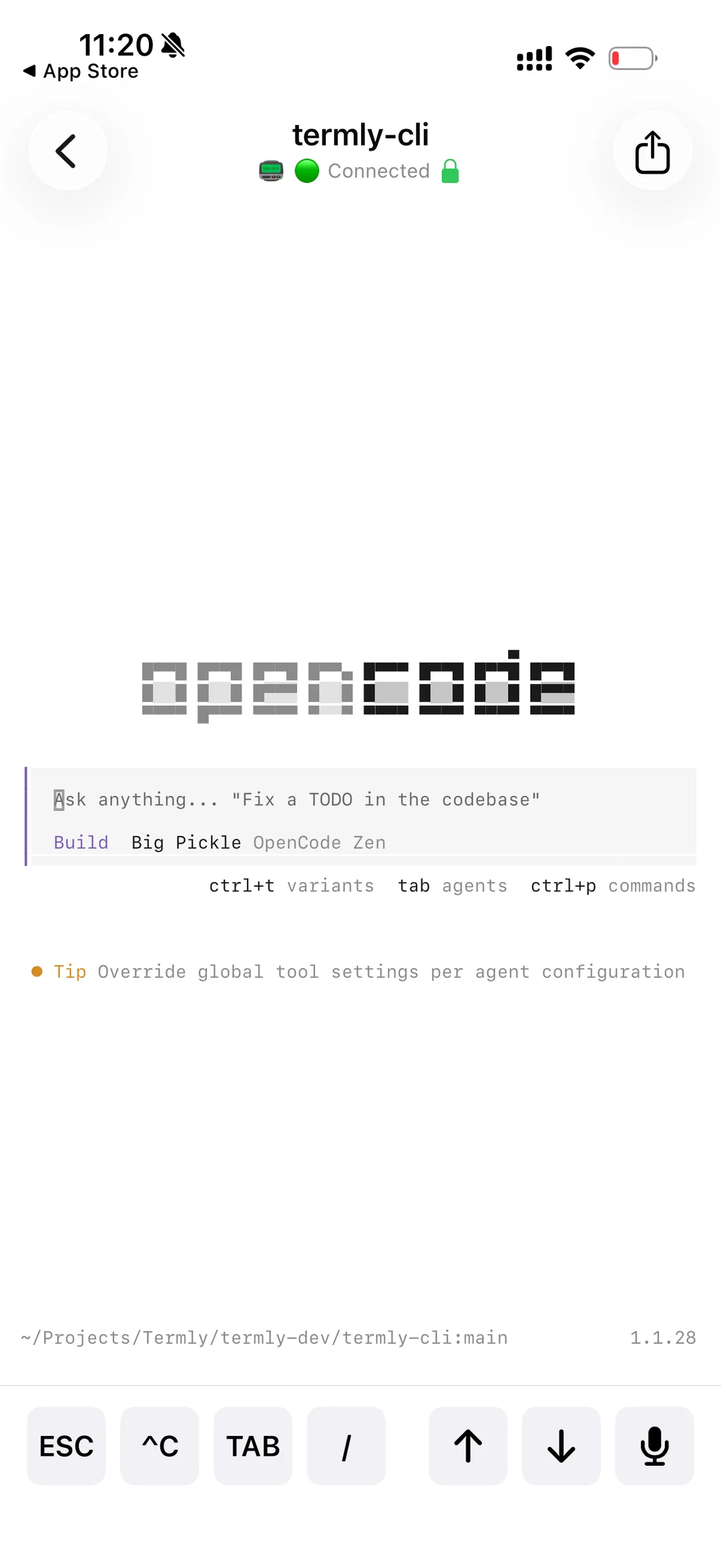
Termly lets you use OpenCode from your iPhone or Android device — with end-to-end encryption, full session context, and setup in under 60 seconds. Your desktop runs OpenCode; your phone mirrors the session.
Last updated: May 2026
OpenCode is desktop-only. Until now.
When you step away from your computer, your OpenCode session ends.
Termly bridges the gap.
Termly creates a secure bridge between your desktop OpenCode session and your mobile device. Your AI coding assistant follows you everywhere.
Real-Time Sync
See OpenCode's responses as they stream in — prompts, edits, terminal output — all live on your phone
Full Context
Same codebase, same conversation history, zero context loss between desktop and mobile
Voice Input
Dictate prompts to OpenCode with speech-to-text. Hands-free AI coding anywhere.
Bank-Grade Security
End-to-end encrypted with AES-256-GCM. Zero-knowledge: your code never touches our servers.
OpenCode mobile in 60 seconds
Install Termly CLI
Install the Termly command-line tool globally:
npm install -g @termly-dev/cliLaunch OpenCode with Termly
Navigate to your project and start OpenCode through Termly:
termly start --ai opencodeNote: Termly will automatically detect and launch OpenCode if it's installed. A QR code will appear in your terminal.
Connect Your Mobile Device
Open the Termly app on your iPhone or Android device:
- Tap the "+" button or "New Session"
- Scan the QR code displayed in your terminal
- Your OpenCode session appears instantly on mobile
Real-world benefits
Review Code During Commute
Check OpenCode's suggestions on the train. Approve changes or request refinements without touching your laptop.
Voice-Powered Prompts
Use speech-to-text to describe what you want OpenCode to build. Perfect for hands-free sessions.
Seamless Context Switch
Move between desktop and mobile without losing conversation history or project context.
Emergency Bug Fixes
Production down? Guide OpenCode to fix critical issues from anywhere, even without your laptop.
Common questions
Can I use OpenCode on my iPhone?
Yes! Termly lets you use OpenCode on iPhone and Android. Install the Termly CLI on your desktop, run `termly start --ai opencode`, and scan the QR code from the Termly mobile app. Your OpenCode session mirrors to your phone instantly.
Does this work with the latest version of OpenCode?
Yes! Termly works with all versions of OpenCode. We continuously test compatibility with new releases from the OpenCode project.
Can I edit code on mobile with OpenCode?
You can send prompts and instructions to OpenCode, which will make the edits on your desktop. Code execution happens on your local machine for security and performance.
Is my code secure when using OpenCode on mobile?
Absolutely. All communication is end-to-end encrypted with AES-256-GCM. Termly uses zero-knowledge architecture — your code never touches our servers.
Does OpenCode mobile use my API keys?
Termly doesn't interact with your AI provider APIs. It simply mirrors your existing OpenCode terminal session to mobile. Your API usage stays exactly the same.
Works with other AI tools too
Termly supports any CLI-based AI coding assistant — not just OpenCode.
Ready to take OpenCode mobile?
Your AI coding assistant shouldn't be chained to your desk.
100% FREE · NO CREDIT CARD REQUIRED